
Cascading is a term we use in relation to targets. It allows you to take a team target and make
copies of it, which you can tweak and assign to other teams. This is a quick way of making existing targets available to other teams, saving you the hassle of having to write it several times.
Please note - personal targets cannot be cascaded.
Quick Steps
- Open the target you'd like to Cascade
- Click Cascade Target
- Make any necessary changes to the target and then use the Team drop-down to select the team you want to cascade the new version to
- Click Add to confirm the team. You can add multiple teams
- Click Create Cascade Targets
Need More Detailed Help?
To cascade a target, open it and click the Cascade Target button. When clicked, a copy of the target will appear with a Target Teams section next to it.
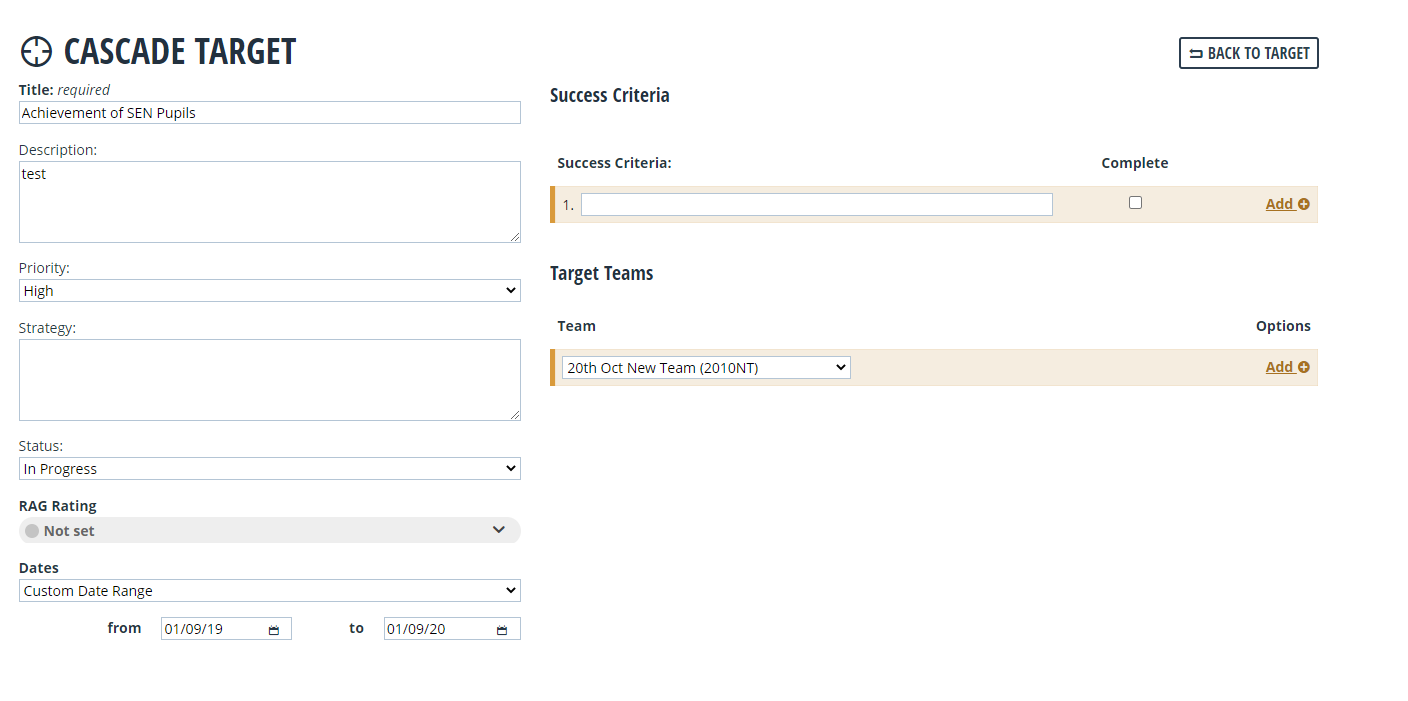
Make any necessary changes to your target and then use the Team drop-down to select the team you want to cascade the target to. Once selected, click Add. This will embed that team on the target. You can add as many teams as you need by repeating this process.
Once you have selected the teams, click Create Cascaded Targets.
This will take you back into the original target you copied. You can check that the cascade was successful by clicking the Targets tab. This will show you any cascaded versions of the target, assigned to their new team. Each new team will then have their own copy of that target, with a unique reference number.